
Welcome to Pro Typing Test! If you have ever taken a typing test, you have seen the letters "WPM" appear with your score. But what does WPM actually mean? How is it calculated? Is a 40 WPM score good or bad? And most importantly, how can you improve your WPM?
This complete guide answers all these questions and more. By the end, you will understand WPM inside out, know exactly where you stand, and have a clear plan to reach your typing goals. Let us dive in.
⌨️ What is WPM? (Full Form & Meaning)
WPM stands for "Words Per Minute." It is the standard unit for measuring typing speed. Simply put, WPM tells you how many words you can type in one minute.
However, here is an important detail: In the typing world, a "word" does not mean a dictionary word. Instead, one "word" is defined as 5 characters (including spaces, letters, numbers, and punctuation marks).
Why 5 characters? Because different words have different lengths. "a" has 1 character, but "typist" has 6 characters. Standardizing to 5 characters per word allows fair comparison across all typing tests.
Examples of WPM Calculation:
- "Hello" has 5 characters → counts as 1 word
- "Typing" has 6 characters → counts as 1.2 words
- "Pro Typing Test" has 15 characters (including the space) → counts as 3 words
📊 How WPM is Calculated (With Examples)
WPM calculation follows a simple formula. Pro Typing Test does this automatically for you, but understanding the math helps you track your progress better.
The WPM Formula:
Let us break it down with real examples:
Example 1 (1-minute test): You type 200 characters in 1 minute.
- Step 1: 200 characters ÷ 5 = 40 "words"
- Step 2: 40 ÷ 1 minute = 40 WPM
Example 2 (2-minute test): You type 300 characters in 2 minutes.
- Step 1: 300 characters ÷ 5 = 60 "words"
- Step 2: 60 ÷ 2 minutes = 30 WPM
Example 3 (5-minute test): You type 1,000 characters in 5 minutes.
- Step 1: 1,000 characters ÷ 5 = 200 "words"
- Step 2: 200 ÷ 5 minutes = 40 WPM
Example 4 (10-minute test): You type 2,000 characters in 10 minutes.
- Step 1: 2,000 characters ÷ 5 = 400 "words"
- Step 2: 400 ÷ 10 minutes = 40 WPM
Notice that Examples 1, 3, and 4 all resulted in 40 WPM - even though they typed different total characters. That is because WPM normalizes speed over time.
🎯 What is a Good WPM Score? (Category-wise)
Based on Pro Typing Test data from 50,000+ users, here is how WPM scores break down by category:
| Category | WPM Range | Who | Accuracy Target |
|---|---|---|---|
| Beginner | 0-25 WPM | Learning finger placement, still looking at keyboard | 90%+ |
| Average | 25-40 WPM | General computer users, basic office work | 92%+ |
| Good | 40-55 WPM | Most office workers, students, data entry | 95%+ |
| Professional | 55-70 WPM | Data entry specialists, transcriptionists | 97%+ |
| Expert | 70-90 WPM | Professional typists, programmers, journalists | 98%+ |
| Elite | 90-120 WPM | Competitive typists, executive assistants | 99%+ |
| World Class | 120+ WPM | World record holders (fastest is 216 WPM) | 99%+ |
What does this mean for you?
- Below 25 WPM: You are a beginner. Focus on learning proper finger placement and the home row.
- 25-40 WPM: You are at an average level. Daily practice with 1-minute tests will help you improve quickly.
- 40-55 WPM: You have good speed! Most office jobs require 40-50 WPM. Take our free certificate to add to your resume.
- 55-70 WPM: Professional level. You qualify for data entry and transcription jobs.
- 70+ WPM: Expert level. You can compete in typing competitions!
⚖️ WPM vs Accuracy - Which Matters More?
This is the most common question I receive. The answer: Accuracy matters more than raw WPM.
Think about it this way. Would you rather hire someone who:
- Types 60 WPM but makes 15 mistakes per minute (85% accuracy)?
- Types 45 WPM but makes 1 mistake per minute (98% accuracy)?
The answer is obvious. The 45 WPM typist produces cleaner work and does not waste time correcting errors.
Effective WPM = Gross WPM × (Accuracy ÷ 100)
| Gross WPM | Accuracy | Effective WPM | Who Wins? |
|---|---|---|---|
| 60 WPM | 85% | 51 WPM effective | |
| 50 WPM | 98% | 49 WPM effective | Almost tied! |
| 45 WPM | 99% | 44.5 WPM effective | |
| 55 WPM | 95% | 52.25 WPM effective | 🏆 Winner! |
Related guide: Typing Speed vs Accuracy - Which Matters More? →
📋 WPM Requirements for Government Exams
Different government exams have different WPM requirements. Here is a quick reference based on Pro Typing Test data:
| Exam | Required WPM | Target WPM for Safety | Accuracy Required |
|---|---|---|---|
| SSC CGL | 30 WPM | 33-35 WPM | 95%+ |
| SSC CHSL | 35 WPM | 38-40 WPM | 95%+ |
| SSC MTS | 30 WPM | 33-35 WPM | 95%+ |
| SSC Stenographer | 40 WPM | 43-45 WPM | 96%+ |
| IBPS PO/Clerk | 30 WPM | 33-35 WPM | 95%+ |
| SBI PO/Clerk | 30 WPM | 33-35 WPM | 95%+ |
| RRB NTPC | 30 WPM | 33-35 WPM | 95%+ |
| Railway Group D | 25 WPM | 28-30 WPM | 95%+ |
Pro tip: Always aim for 3-5 WPM above the minimum requirement. Exam stress can reduce your speed by 5-10 WPM. Having a buffer ensures you still qualify even if you are nervous.
🚀 How to Improve Your WPM (6 Proven Methods)
1. Master Touch Typing (No Looking at the Keyboard)
Touch typing is the number one skill for increasing WPM. When you do not have to look at the keyboard, your eyes stay on the screen, and your fingers develop muscle memory. This alone can increase your WPM by 10-20 points.
Start with the home row: ASDF for the left hand, JKL; for the right hand. Keep your fingers here. Learn the complete finger placement guide →
2. Practice Daily with 1-Minute Tests
Take 1-minute typing tests on Pro Typing Test every day. Why 1-minute tests?
- No fatigue - you stay focused the entire test
- Quick feedback - you can take 5-10 tests in 10 minutes
- Easy to track progress - small improvements are visible daily
3. Focus on Accuracy First
Type slowly but correctly until you hit 95%+ accuracy. Then gradually increase your speed. Rushing creates bad habits that are hard to break.
4. Master the 100 Most Common Words
The 100 most common words make up 50% of all typed text. Master them, and you will naturally type faster.
Top 20 common words: the, be, to, of, and, a, in, that, have, I, it, for, not, on, with, he, as, you, do, at
5. Use Typing Games for Fun Practice
Boredom kills consistency. Use Pro Typing Test's games to make practice enjoyable. You will practice longer without even realizing it.
6. Track Your Progress Weekly
Use our Typing Benchmark tool to track your WPM over time. Seeing your improvement is the best motivation.
- Week 1: Take 5x 1-minute tests daily. Focus on accuracy (95%+).
- Week 2: Continue 1-minute tests + add 2-minute tests. Track both speeds.
- Week 3: Practice common words for 10 minutes before your tests.
- Week 4: Compare your Week 4 scores with Week 1. You should see 5-10 WPM improvement!
- After Week 4: Claim your free certificate to celebrate your progress!
📈 Gross WPM vs Net WPM - What is the Difference?
When you take a typing test, you will often see two numbers: Gross WPM and Net WPM. Here is the difference:
Gross WPM (Raw Speed): Your total typing speed without considering errors.
- Formula: (Total Characters ÷ 5) ÷ Time
- Example: 200 characters in 1 minute = 40 Gross WPM
Net WPM (Effective Speed): Your actual speed after accounting for errors.
- Formula: Gross WPM - (Errors ÷ Time)
- Example: 40 Gross WPM - (5 errors ÷ 1 minute) = 35 Net WPM
Pro Typing Test shows both: Your Gross WPM (raw speed), Net WPM (effective speed), and Accuracy percentage. This gives you a complete picture of your typing ability.
💼 Average WPM by Profession
Different jobs expect different WPM levels. Based on Pro Typing Test data and industry standards:
| Profession | Average WPM | Target for Success | Why It Matters |
|---|---|---|---|
| Students | 30-40 WPM | 40-50 WPM | Faster note-taking, quicker assignments |
| Office Assistant | 40-50 WPM | 50-60 WPM | Emails, reports, data entry |
| Data Entry Operator | 50-60 WPM | 60-70 WPM | High volume typing with accuracy |
| Transcriptionist | 60-70 WPM | 70-80 WPM | Audio to text conversion |
| Programmer/Developer | 50-60 WPM | 60-70 WPM | Coding speed affects productivity |
| Journalist/Writer | 55-65 WPM | 65-75 WPM | Meeting deadlines, creative flow |
| Executive Assistant | 60-70 WPM | 70-80 WPM | Supporting C-level executives |
| Court Reporter | 180+ WPM | 200+ WPM | Using stenography machines |
🚀 Check Your WPM Score Today - It is Free!
Join 50,000+ users measuring their typing speed with Pro Typing Test. Free WPM calculator, progress tracking, and a FREE certificate when you achieve 95%+ accuracy!
Trusted by typists from USA, UK, Canada, Australia, India and 150+ countries
❓ Frequently Asked Questions About WPM
WPM stands for "Words Per Minute." It is the standard unit for measuring typing speed. It tells you how many words you can type in one minute. Check your WPM on Pro Typing Test and get a free certificate.
For most office jobs in the USA and UK, 40-50 WPM is considered good. Data entry positions may require 50-60 WPM, while transcription jobs need 60-70 WPM. Pro Typing Test helps you achieve these targets. Get certified to showcase your WPM score to employers!
The average typing speed is around 40 WPM. Beginners type at 20-25 WPM, professionals at 55-70 WPM, and experts at 70-90 WPM. Check your speed on Pro Typing Test.
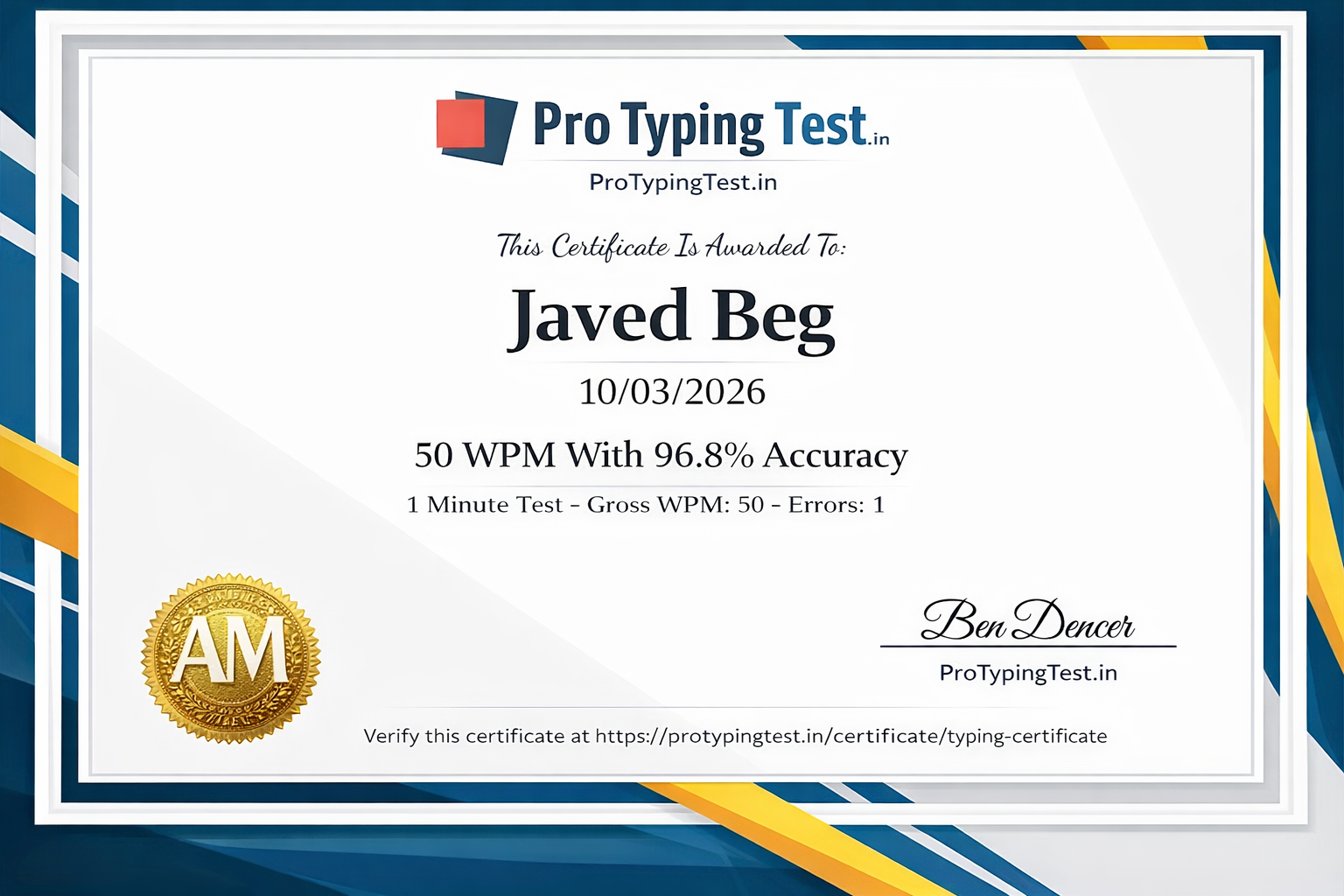
Yes! Pro Typing Test offers free official typing certificates when you achieve 95%+ accuracy. Your certificate shows your WPM score and can be added to your resume, LinkedIn, or job applications. Get your certificate here →
40-55 WPM is considered good. For government exams, 30-35 WPM is sufficient. For professional work, aim for 55+ WPM. Check our 60 WPM guide for detailed plans.
Total characters are divided by 5 to convert to words, then divided by time in minutes. Formula: (Characters ÷ 5) ÷ Time = WPM. Pro Typing Test calculates this automatically. Try our 1-minute free test!
Learn touch typing, practice daily, focus on accuracy first, practice common words, and track your progress. Follow Pro Typing Test's speed tips for best results.
To achieve 60 WPM, you need daily practice, touch typing skills, and a focus on accuracy. It may take 2-3 months. Follow our 60 WPM Guide for a structured plan.
💬 Real WPM Success Stories from Our Community
"I was stuck at 35 WPM and could not get callbacks for data entry jobs. I followed the Pro Typing Test guide, practiced daily for 3 months, and reached 58 WPM. I got certified and added it to my resume. I landed a remote data entry job within 2 weeks. WPM matters!"
"My speed was 25 WPM. I needed 35 WPM for SSC CHSL. I practiced with Pro Typing Test's 1-minute tests. In 2 months, I achieved 38 WPM. I cleared the exam! Understanding WPM really helped me."
"Transcription requires 70+ WPM. I was at 55 WPM. The WPM improvement tips here - especially touch typing and common words practice - helped me reach 72 WPM in 4 months. I am now working full-time as a medical transcriptionist. The free certificate from Pro Typing Test helped me get hired!"
Final Words: WPM is Just a Number - But It is an Important One
Your WPM score is a snapshot of your typing ability at this moment. It is not permanent. It is not your identity. It is just where you are today - and tomorrow, you can be better.
- Do not compare yourself to 100 WPM typists if you are just starting
- Do compare yourself to last week's WPM - celebrate every 2-3 WPM improvement
- Focus on accuracy first - speed will follow naturally
- Practice daily - even 10 minutes makes a difference
- Get certified - prove your WPM score to employers
Start measuring your WPM with Pro Typing Test today. Your faster typing future is just one test away. 🚀