
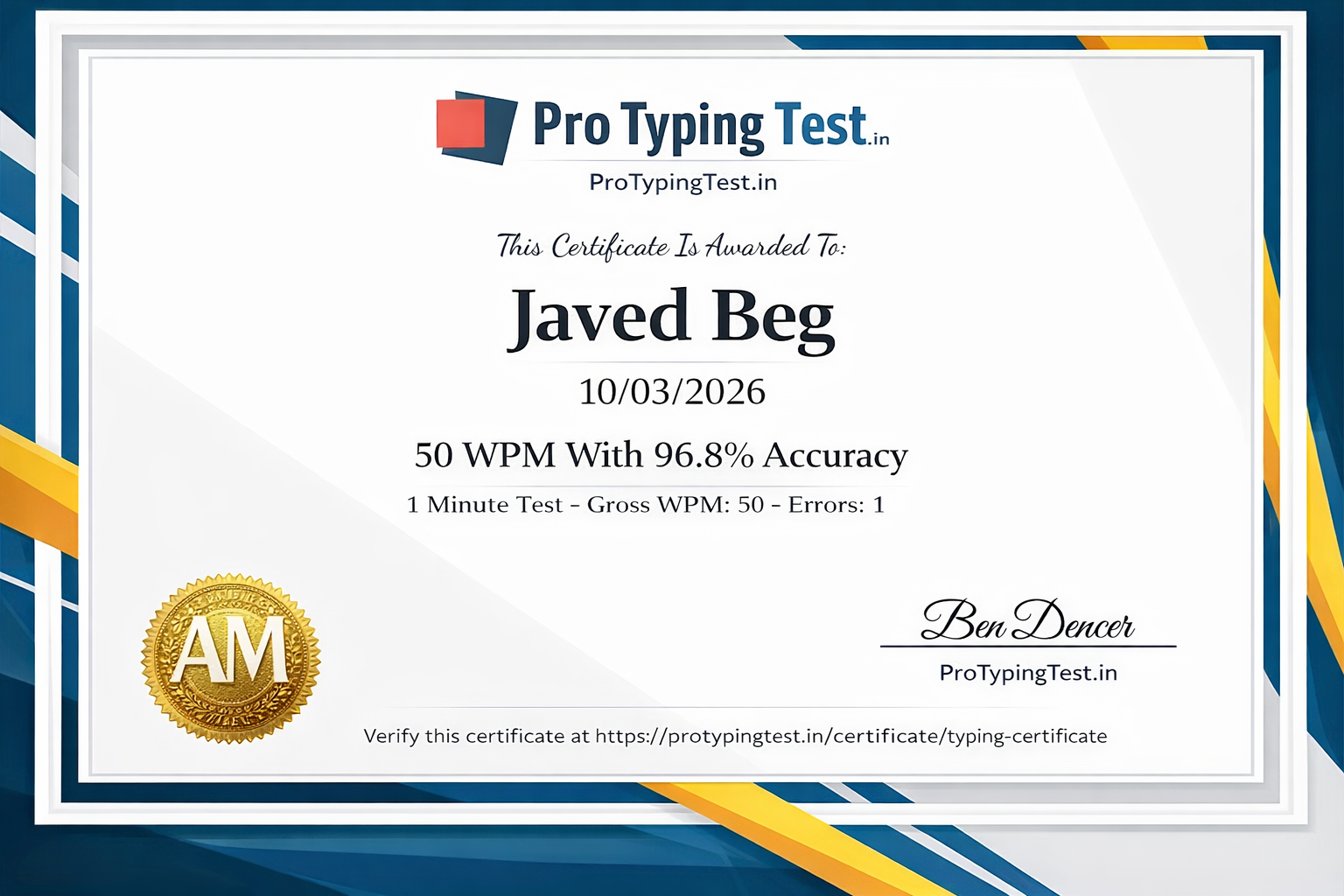
🚀 My Personal Touch Typing Journey (25 WPM → 120+ WPM)
Real confession: When I started typing, I was a classic "hunt and peck" typist. I used only 2-3 fingers, looked at the keyboard constantly, and my maximum speed was 25 WPM. I thought this was normal. I was wrong.
A friend introduced me to touch typing. The first week was brutal - my speed dropped to 15 WPM. I couldn't find the home row without looking. I wanted to quit. But I persisted. I used keyboard covers, practiced home row exercises daily, and forced myself to use all 10 fingers.
After 4 weeks, I reached 35 WPM. After 8 weeks, 50 WPM. After 12 weeks, 70 WPM. Today, I type at 120+ WPM without ever looking at the keyboard. This guide shares the EXACT 30-day plan that worked for me. If I can learn touch typing, YOU CAN TOO!
⌨️ What is Touch Typing?
Touch typing ek skill hai jisme aap bina keyboard dekhe type karte ho. Isme har finger ki assigned keys hoti hain aur aap muscle memory ka use karte ho. Ye "hunt and peck" method se bilkul alag hai jisme aap 2-4 fingers use karte ho aur keyboard dekhte ho.
📊 Touch Typing vs Hunt & Peck - Complete Comparison
| Feature | Touch Typing | Hunt & Peck |
|---|---|---|
| Fingers Used | All 10 fingers | 2-4 fingers |
| Speed | ||
| Beginner | 20-30 WPM | 15-25 WPM |
| Intermediate | 40-60 WPM | 25-35 WPM |
| Advanced | 70-100+ WPM | 35-45 WPM |
| Accuracy | ||
| Typical | 95-99% | 85-92% |
| Learning Curve | ||
| Time to learn | 4-6 weeks | Already know (no learning) |
| Physical Impact | ||
| Fatigue | Low - balanced finger use | High - overuse of few fingers |
| Professional Value | ||
| Employer preference | Highly valued | Not preferred |
🏠 Home Row Positioning - The Foundation
Home row touch typing ki foundation hai. Apne fingers hamesha in keys par rakho. Ye aapki "home position" hai - har key press ke baad yahan wapas aana hai.
Home Row Keys:
A S D F J K L ;
Left Hand: A (pinky), S (ring), D (middle), F (index)
Right Hand: J (index), K (middle), L (ring), ; (pinky)
Thumbs: Space bar par
F aur J keys par small bumps hote hain. Unhe feel karo - ye aapki index fingers ki position batate hain bina dekhe. This is how I learned to find home row without looking!
🖐️ Complete Finger Placement Guide
👈 Left Hand - Pro Typing Test Chart
👉 Right Hand - Pro Typing Test Chart
Detailed guide: Complete Finger Placement Guide with Diagrams
📝 10 Practice Exercises for Touch Typing
Exercise 1: Home Row Only
asdf jkl; asdf jkl; asdf jkl; asdf jkl; asdf jkl;fdsa ;lkj fdsa ;lkj fdsa ;lkj fdsa ;lkjaass ddff jjkk ll;; aass ddff jjkk ll;;
✅ Repeat each line 15 times, focus on returning fingers to home row
Exercise 2: Add Top Row
qwert yuiop qwert yuiop qwert yuiop qwert yuiopasdf qwert jkl; yuiop asdf qwert jkl; yuiopqaz wsx edc rfv tgb yhn ujm qaz wsx edc
✅ Practice each combination slowly, then increase speed
Exercise 3: Add Bottom Row
zxcv bn m zxcv bn m zxcv bn m zxcv bn mqaz wsx edc rfv tgb yhn ujm ik, ol. ;/pzxcv asdf qwert yuiop jkl; bn m zxcv asdf
✅ Practice all rows combined
Exercise 4: All Rows Combined
qwert asdf zxcv yuiop jkl; bn m qwert asdf zxcvNow is the time for all good men to come to the aid of their countryTyping is fun and easy with Pro Typing Test
✅ Type each sentence 5 times, focus on accuracy
Exercise 5: Common Words
the and for you with have this from they wordbut not what all were we when your can saidthere use an each which she do how their will
✅ These are the most common English words - practice daily
Exercise 6: Short Sentences
The cat sat on the mat. The dog ran fast. I love to type.She sells sea shells on the sea shore. He is a good boy.Practice every day to improve your typing speed.
✅ Focus on accuracy, then speed
Exercise 7: Focus on Pinky Fingers
aq aq aq aq az az az ax ax ax aq aq aq;p ;p ;p ;p ;/ ;/ ;/ ;/ ;p ;p ;p ;p
✅ Pinky fingers are weak - practice them extra
Exercise 8: Focus on Ring Fingers
sw sw sw sw sx sx sx sx sw sw sw swlo lo lo lo l. l. l. l. lo lo lo lo
✅ Ring fingers need extra practice
Exercise 9: All Letters - Pangrams
The quick brown fox jumps over the lazy dog.Pack my box with five dozen liquor jugs.The five boxing wizards jump quickly.
✅ These sentences contain all letters of the alphabet
Exercise 10: Numbers and Symbols
1234 5678 90 1234 5678 90 1234 5678 90!@#$ %^& *() !@#$ %^& *() !@#$ %^& *()
✅ Practice numbers and symbols for advanced typing
✨ 6 Amazing Benefits of Touch Typing
Speed Increase
60-80 WPM easily achieve kar sakte ho, 2-3x faster than hunt & peck method. I went from 25 to 120+ WPM!
Better Accuracy
Errors 90% kam hote hain, 98%+ accuracy possible with regular practice. My errors dropped from 15% to less than 1%.
Less Fatigue
Hathon ko kam mehnat lagti hai, long typing sessions possible bina thake. I can type for hours now.
Better Focus
Screen par focus rahta hai, keyboard nahi dekhna padta, productivity badhti hai.
Career Advantage
Job interviews aur career mein advantage milta hai, professional skill hai. Most employers prefer touch typists.
Muscle Memory
Once learned, never forgotten - lifetime skill. Ek baar seekho, hamesha kaam aayega. I still use the same technique years later.
❌ 10 Common Mistakes to Avoid in Touch Typing
- Wrong finger placement: Har finger ki assigned keys use karo, shortcuts mat lo.
- Looking at keyboard: Resist the urge. Keyboard ko cover kar do agar zaroorat ho. This was my biggest challenge.
- Rushing too much: Slow but accurate start karo, speed automatically aa jayegi.
- Not practicing daily: Consistency is key - 20 minutes daily is better than 2 hours once a week.
- Bad posture: Back straight, wrists straight, elbows at 90° angle.
- Ignoring weak fingers: Pinky and ring fingers are weak - practice them more.
- Not returning to home row: Har key press ke baad home row par wapas aao.
- Using wrong shift key: Shift key opposite hand se dabaao.
- Not taking breaks: 25-5 rule follow karo. 25 min practice, 5 min break.
- Not tracking progress: Daily apni WPM aur accuracy track karo using the table below.
📅 30-Day Touch Typing Learning Plan by Pro Typing Test
Week 1: Foundation (Days 1-7)
- Days 1-3: Only home row practice (asdf jkl; asdf jkl;) - 20 minutes daily
- Days 4-5: Add top row (qwert yuiop) - 25 minutes daily
- Days 6-7: Add bottom row (zxcv bn m) - 25 minutes daily
- Target: 20 WPM with 95% accuracy
Week 2: Building (Days 8-14)
- Practice all rows combined - 25 minutes daily
- Start with common words and short sentences
- Daily 2-minute tests to track progress
- Target: 25 WPM with 95% accuracy
Week 3: Speed Focus (Days 15-21)
- Practice sentences and paragraphs - 30 minutes daily
- 5-minute tests daily to build endurance
- Focus on accuracy first (98%+), then speed
- Target: 30 WPM with 96% accuracy
Week 4: Mastery (Days 22-30)
- 10-minute tests daily for endurance
- Different types of content - news, stories, essays
- Identify and fix weak areas with error analysis
- Target: 35-40 WPM with 95%+ accuracy
🎯 Touch Typing Milestones - What to Expect Week by Week
🔰 Week 1-2
Frustration is normal!
Stick with home row practice
⚡ Week 3-4
Muscle memory begins
Less frustration, more progress
🏆 Week 5-8
Confidence builds
No longer looking at keyboard
🎯 Week 9-12
Mastery level
Touch typing becomes automatic
📈 30-Day Progress Tracking Table
| Week | Mon | Tue | Wed | Thu | Fri | Sat | Sun | Weekly Avg |
|---|---|---|---|---|---|---|---|---|
| Week 1 | ___ WPM | ___ WPM | ___ WPM | ___ WPM | ___ WPM | ___ WPM | ___ WPM | ___ WPM |
| Target: 20 WPM with 95% accuracy | ||||||||
| Week 2 | ___ WPM | ___ WPM | ___ WPM | ___ WPM | ___ WPM | ___ WPM | ___ WPM | ___ WPM |
| Target: 25 WPM with 95% accuracy | ||||||||
| Week 3 | ___ WPM | ___ WPM | ___ WPM | ___ WPM | ___ WPM | ___ WPM | ___ WPM | ___ WPM |
| Target: 30 WPM with 96% accuracy | ||||||||
| Week 4 | ___ WPM | ___ WPM | ___ WPM | ___ WPM | ___ WPM | ___ WPM | ___ WPM | ___ WPM |
| Target: 35-40 WPM with 95%+ accuracy | ||||||||
🌎 International Touch Typing Standards
| Country | Average WPM | Professional Standard | Employer Preference |
|---|---|---|---|
| United States | 44 WPM | 50-60 WPM | Touch typing required |
| United Kingdom | 42 WPM | 45-55 WPM | Touch typing preferred |
| Canada | 41 WPM | 45-55 WPM | Touch typing required |
| Australia | 40 WPM | 45-55 WPM | Touch typing preferred |
| Germany | 45 WPM | 50-60 WPM | Touch typing required |
| India | 35 WPM | 40-50 WPM | Both accepted |
🚀 Start Your Touch Typing Journey Today
Join 50,000+ students learning touch typing with Pro Typing Test. Free lessons and typing tests! Get your FREE certificate when you master touch typing!
Powered by Pro Typing Test - Created by Javed Beg (25 WPM → 120+ WPM) | Trusted in 150+ countries
❓ Frequently Asked Questions About Touch Typing
Touch typing ek typing technique hai jisme aap bina keyboard dekhe type karte ho. Fingers ko muscle memory develop hoti hai ki kaunsi key kahan hai. Pro Typing Test ke guide mein seekhein. Written by Javed Beg who went from 25 to 120+ WPM using this technique.
Yes! Touch typing is highly valued in professional jobs globally. Most employers prefer candidates who can type 50+ WPM with high accuracy using proper technique. Pro Typing Test helps you achieve these speeds. See the international standards table above for details.
Yes! Pro Typing Test offers free official typing certificates when you achieve 95%+ accuracy and good WPM on our typing tests. Get your certificate here →
Daily 20-30 minutes practice se 4-6 weeks mein touch typing master kar sakte ho. Pehle accuracy focus karo, speed automatically aa jayegi. I reached 35 WPM in 4 weeks using the 30-day plan above.
Home row keys hain: A S D F (left hand) aur J K L ; (right hand). Thumbs space bar par rakho. Yahan se start karo aur yahan wapas aao. Finger placement guide dekho.
Speed 2-3x badhti hai (60-80 WPM), errors 90% kam hote hain, fatigue kam hoti hai, aur screen par focus rahta hai. Pro Typing Test se seekhein. I personally experienced all these benefits!
Any standard QWERTY keyboard works for learning touch typing. Mechanical keyboards with tactile switches (like Cherry MX Brown) provide better feedback. Look for keyboards with distinct F and J key bumps. I learned on a basic keyboard and upgraded later.
Cover your hands with a cloth or use a keyboard cover. Trust the F and J key bumps. Practice home row drills with eyes closed. I used a towel to cover my hands for the first 2 weeks - it worked!
💬 Pro Typing Test Community
"This guide is excellent! I've been practicing touch typing for 3 weeks and already increased my speed from 25 WPM to 45 WPM. The 30-day plan really works! Thank you Pro Typing Test!"
"Touch typing seekh raha hoon. Home row practice kar raha hoon lekin speed nahi badh rahi. Frustrated ho raha hoon. Kya karun?"
"Keyboard dekhne ki aadat nahi ja rahi. Main 2 hafte se practice kar rahi hoon. Koi tip?"
Conclusion
Touch typing ek essential skill hai jo aapki productivity 2x kar degi. Written by Javed Beg who went from 25 WPM (hunt & peck) to 120+ WPM (touch typing). 4-6 weeks daily practice se aap touch typing master kar sakte ho. Start today - apni fingers home row par rakho aur practice shuru karo Pro Typing Test ke saath!
Yaad rakho: Accuracy pehle, speed baad mein. 95%+ accuracy achieve karo, speed automatically aa jayegi. Use the 30-day tracking table above to monitor your progress, and check the milestones chart to see that you're on the right track.
Best of luck with your touch typing journey! 🚀